
How To: Phantom Wallet
A guide on how to create and use a Phantom Wallet.


Introduction
As covered in my previous post on MetaMask, MetaMask is currently the top dog when it comes to blockchain wallets. However, MetaMask does not cover all blockchains, and one of the biggest ones is Solana.
For some background information, Solana is a high-speed Layer-1 blockchain that utilizes an innovative hybrid consensus model that combines a unique proof-of-history (PoH) algorithm with the lightning-fast synchronization engine, which is a version of proof-of-stake (PoS). Because of this, the Solana network can theoretically process over 710,000 transactions per second (TPS) without any scaling solutions needed.
Currently, Solana sits in 5th place for the total value locked across blockchains, with $2.91B locked (Source: DefiLlama).
Solana Wallets
While there are numerous Solana wallets such as Slope and Solflare, the Phantom wallet is by far the most used wallet, growing to 1.8 million users in just 9 months.
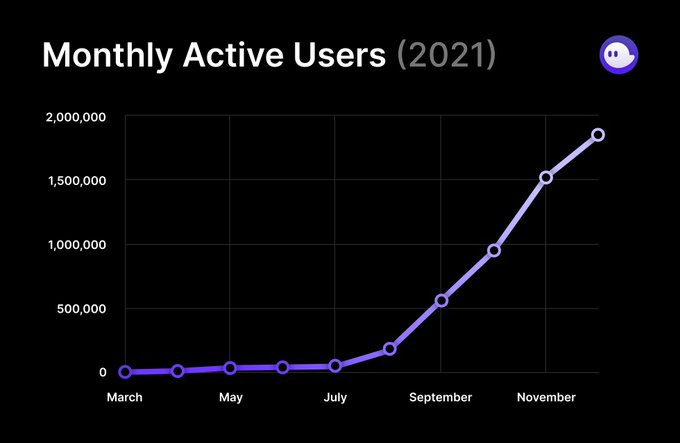
One of the biggest reasons for this is the user-friendliness of Phantom. Personally, I have used Slope and Solflare but it is safe to say that Phantom is in a league of its own.
Additionally, if you’re an avid NFT geek like me, Phantom makes it really easy for you to check your NFTs, something which MetaMask currently lacks.
Creating a Phantom Wallet
Creating a new Phantom wallet is relatively simple, and if you’ve used MetaMask before, most of these steps should be familiar to you.
Let’s run through the steps.
Click on the button below to go straight to the Phantom Chrome extension download page.
Click on “Add to Chrome” and add the extension
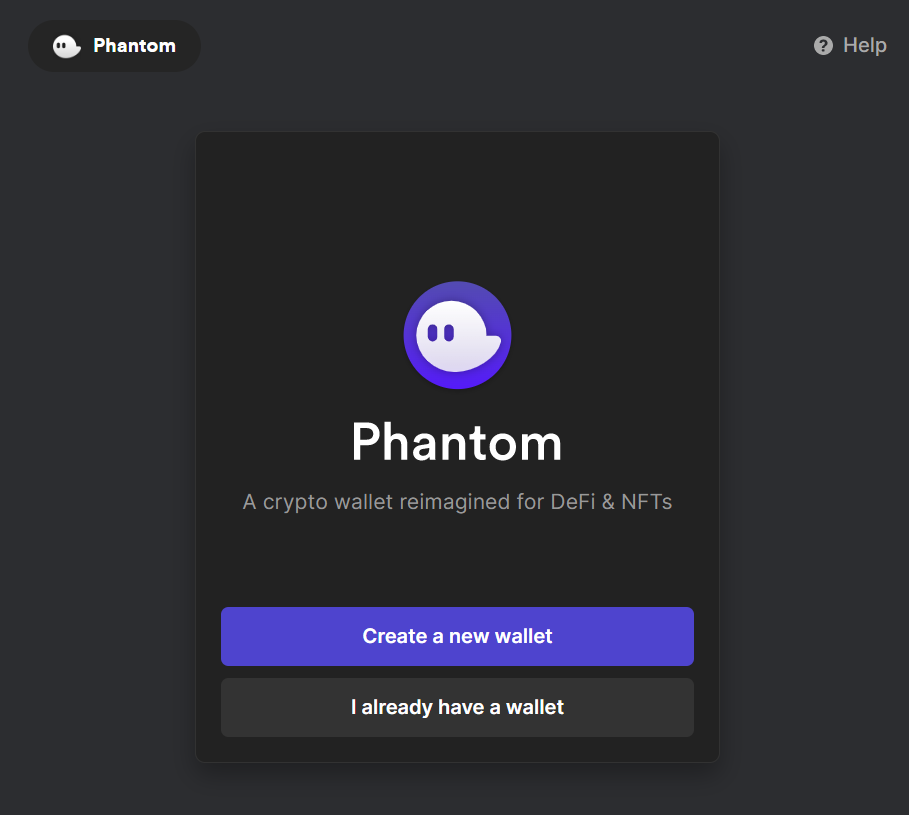
Upon doing so, a new tab should pop up which looks like this:

Click on “Create a new wallet”
Upon doing so, you will be directed to create a password for your wallet. Please make sure that you use a difficult password and keep it somewhere safe.

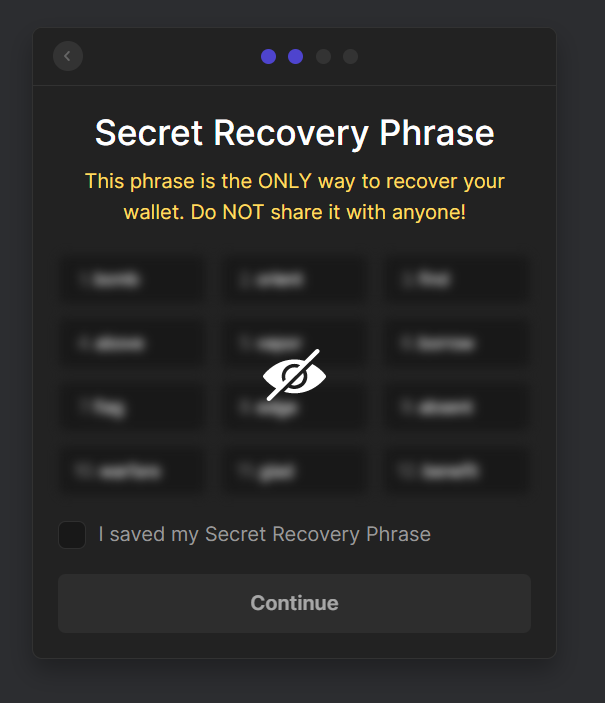
For the secret recovery phase, make sure you store it somewhere offline as it is the only way to recover your wallet. Do not share it with anyone. Once done tick the box and click on “Continue”.

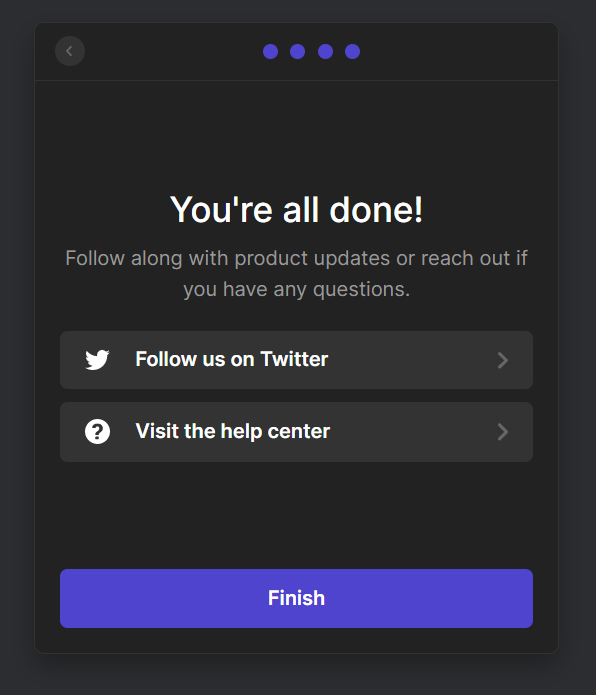
Congratulations! You’ve successfully set up your Phantom wallet. Before you click on “Finish”, make sure you pin Phantom to your extensions bar so you have easy access to it.


Phantom Interface
Below is the main page of your Phantom wallet.
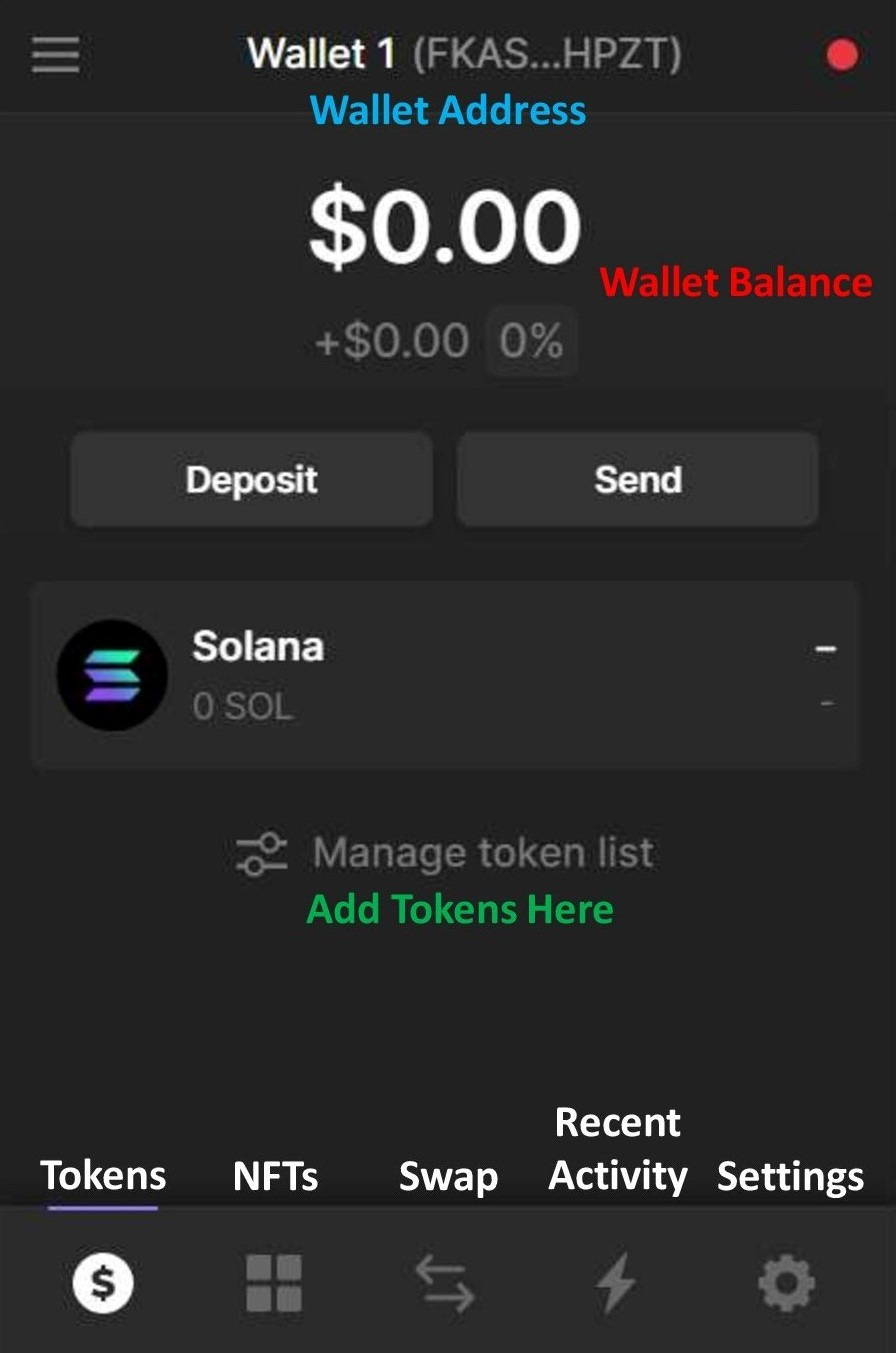
At the bottom, you can access your NFTs, swap cryptocurrencies, check your recent activity and change your settings.
Getting Started on your Solana Journey
Before you get started on your journey in Solana, here are some useful tips:
Gas fees are paid in SOL (Solana). Super cheap no need to worry.
The largest NFT marketplace is Magic Eden
The largest DEX is Raydium
Ending Note
To end things off, I would just like to remind all readers that the Phantom wallet is a hot wallet just like MetaMask, it is still recommended that you get yourself a cold wallet.
Hopefully this tutorial has helped you set up your Phantom wallet and if you have a question about the process don’t hesitate to leave a comment below!
Remember, never ever share your secret recovery phrase with ANYONE!